

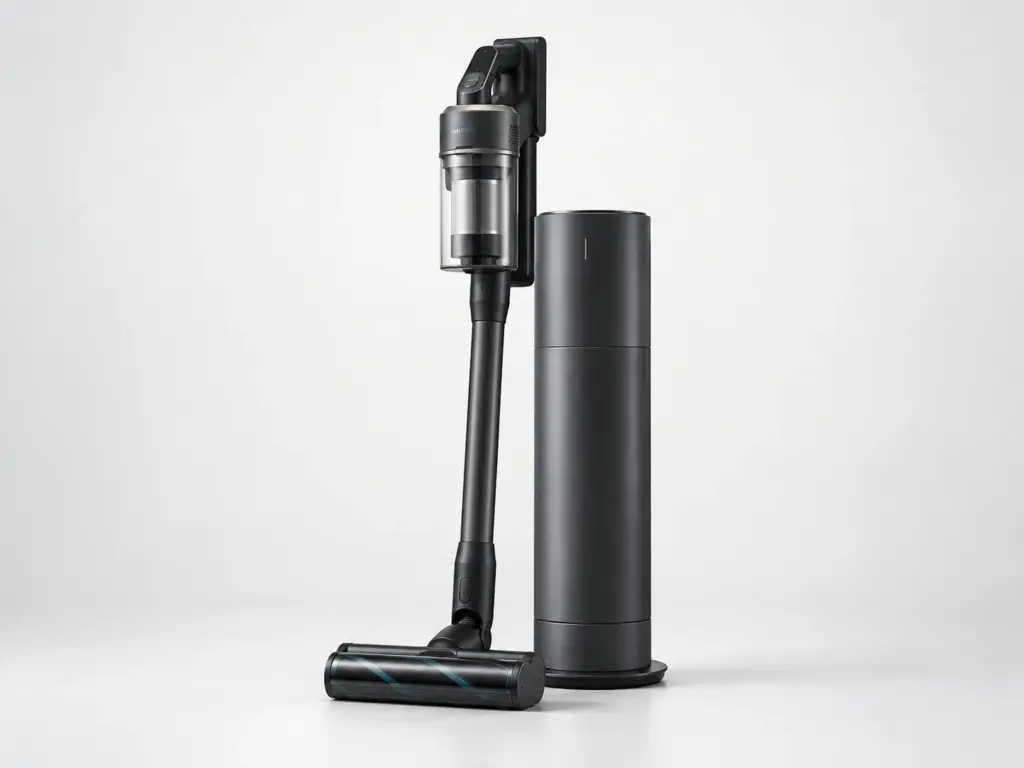
Samsung Vacuums

Samsung VS15A6032R7

Model # VS15A6032R7

The VS15A6032R7 is Samsung’s Jet 60 Pet Cordless Stick Vacuum. The VS15A6032R7 carries its motor and battery in the handle, with the brush roll, its belt or gearbox, and the removable dust bin doing most of the work at the floor end, and a loss of suction on this design is filter and blockage far more often than the motor.

On the VS15A6032R7 we check airflow end to end – inlet, hose, filter, bin seal – before opening the motor housing, because a partial blockage anywhere in that path reads exactly like a weak motor.

Key Features

  • Cordless stick vacuum with a removable hand unit
  • Pet-specific brush head for hair pickup

Most Common Issues on This Model

01

Filter clogged well before its usual interval

02

Suction weak with a full-looking dust bin

03

Brush roll stalled and hair wound around the axle

Own This Model? Book a Diagnosis.

Have the model number to hand when you book, so the technician arrives knowing which parts this model uses and where it usually fails.

Book Your Repair Today

Same-day & next-day appointments · No hidden fees · Technicians trained on these appliances

1Service Details
2Date & Time
3Contact Info

or call (844) 702-1398 now

FAQ

Samsung VS15A6032R7 FAQ

With the VS15A6032R7 switched off, pull the filter and rinse it in cold water only, then let it air-dry completely - a damp filter refitted too soon is one of the most common causes of weak suction. While it dries, check the hose and the inlet at the floor head for a hidden blockage. If suction is still weak with a dry filter and a clear hose, the motor or its seal needs testing.

Possibly, but overheating is just as common on a stick vacuum: a clogged filter or blocked airflow makes the motor work harder and trips a thermal cutout that looks identical to a dead battery. Clear the filter and check for blockages first and let the VS15A6032R7 cool for a few minutes; if it still cuts out with a clean filter and a cool motor, the battery is what gets tested.

Need a repair? We're ready to help. Call Now
Call Us Schedule